How To Use VPN To Change Your Location On Snapchat?
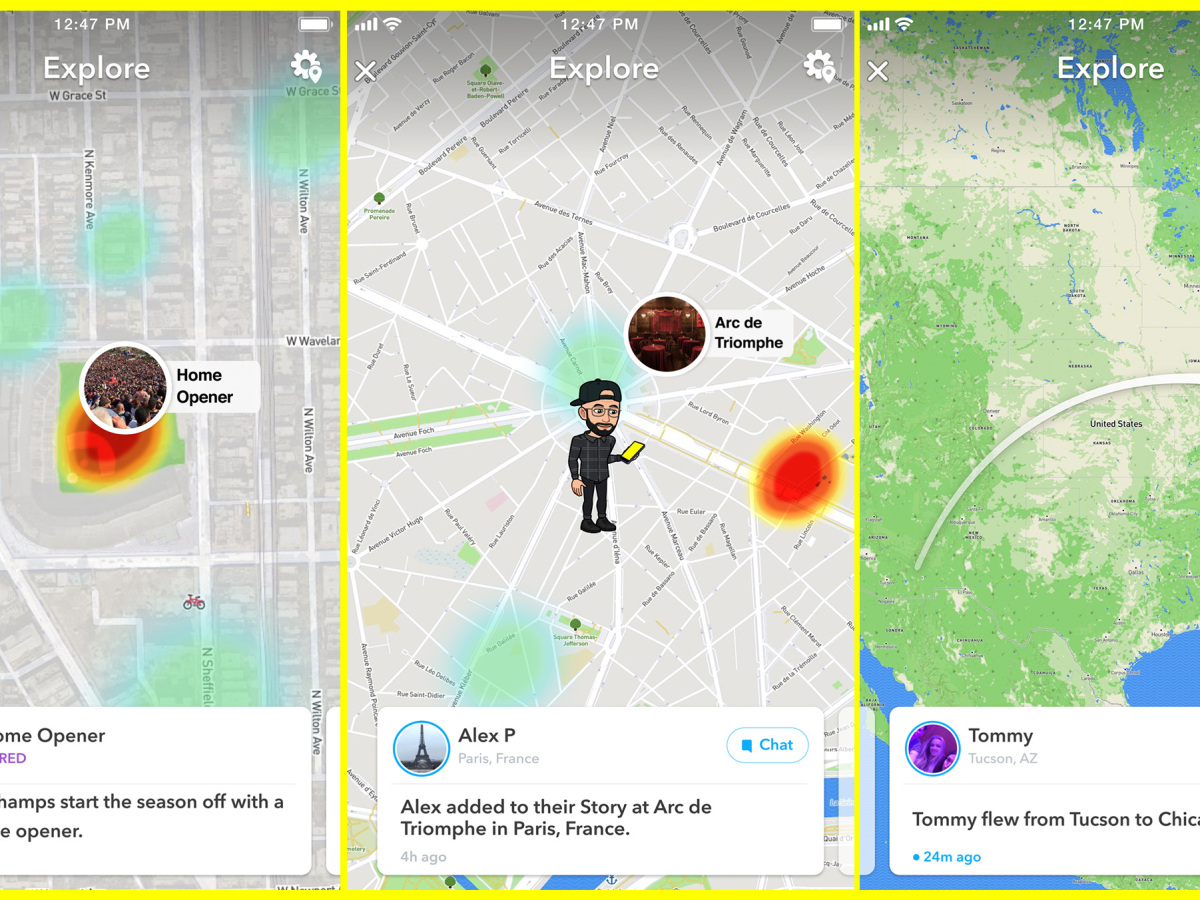
Are you interested in exploring new horizons on Snapchat? With the ever-evolving digital landscape, it’s now possible to transcend geographical boundaries and immerse yourself in different locations virtually.
By leveraging the power of technology, you can use Swing VPN to change location on Snapchat, granting you access to diverse filters, features, and experiences.
This ingenious method involves utilizing a Virtual Private Network (VPN) to modify your device’s apparent location, opening up a world of exciting possibilities as you navigate Snapchat from virtually anywhere.
Embark on this journey of discovery as we unveil the steps to unlock the captivating realm of location transformation on Snapchat.
Contents
- 1 How Do I Change My Location On Snapchat Using A VPN?
- 2 Which VPNs Work Best For Changing Snapchat Location?
- 3 What Are The Benefits Of Using A VPN To Change My Snapchat Location?
- 4 Are There Any Risks Or Limitations To Consider When Using A VPN On Snapchat?
- 5 How To Prevent Snapchat From Detecting A Fake Location Via VPN?
How Do I Change My Location On Snapchat Using A VPN?
Eager to explore Snapchat’s geographically distinct offerings? You’re in luck! Here’s a simple guide on how to use VPN to change location on Snapchat:
- Select a Reliable VPN: Opt for a reputable VPN service and install it on your device.
- Launch the VPN: Open the VPN app and connect to a server in the desired location.
- Clear Snapchat Cache: Head to your device settings, find Snapchat, and clear its cache.
- Open Snapchat: Launch Snapchat and enjoy the altered location-based features and filters.
- Explore Uncharted Filters: Delve into the unique filters and experiences specific to your chosen virtual location.
Unveil the world through a new lens by harnessing the power of a VPN to enhance your Snapchat journey!
Can I Use A VPN To Fake My Location On Snapchat?
Yes, Wonder no more! The prospect of using a VPN to change location on Snapchat might have crossed your mind. While a VPN can indeed alter your apparent location, it’s important to approach this with caution.
Snapchat’s policies prohibit the use of third-party tools for manipulating location, potentially leading to account suspension or restrictions. Although a VPN can grant access to different geographies, it’s crucial to be mindful of the platform’s terms of use.
Before embarking on this virtual journey, consider the implications and weigh the risks associated with utilizing a VPN to potentially “fake” your Snapchat location.
Which VPNs Work Best For Changing Snapchat Location?
Exploring the optimal route to modify your Snapchat surroundings? Look no further! When it comes to using VPN to change location on Snapchat, selecting the right VPN service is paramount. Several VPNs excel in this endeavor, offering seamless location-changing capabilities:
- ExpressVPN: Renowned for its speed and reliability, ExpressVPN seamlessly alters your Snapchat location.
- NordVPN: With a vast server network, NordVPN provides diverse location options for an enhanced Snapchat experience.
- CyberGhost: User-friendly and versatile, CyberGhost empowers you to navigate Snapchat from different virtual vantage points.
- Surfshark: An affordable yet efficient choice, Surfshark lets you effortlessly change your Snapchat location.
- Private Internet Access (PIA): PIA’s robust features make it a contender for Snapchat location manipulation.
These VPNs can be your trusty companions as you embark on your Snapchat journey, unlocking an array of location-specific filters and features.
Is It Safe To Use A VPN To Change My Snapchat Location?
Contemplating the security of your Snapchat escapades through the lens of a VPN? The notion of using a VPN to change location on Snapchat may raise legitimate concerns. While a VPN can offer an added layer of privacy by masking your IP address, it’s essential to exercise caution.
Snapchat’s terms of use discourage the manipulation of location, and employing a VPN for this purpose might violate those terms. Additionally, some VPN providers might log your data, potentially compromising your online privacy.
Prior to embarking on your virtual journey, carefully assess the implications and consider the balance between privacy enhancement and adhering to Snapchat’s guidelines.
What Are The Benefits Of Using A VPN To Change My Snapchat Location?
Curious about the advantages of venturing into the realm of altered locales on Snapchat? The decision to use VPN to change location on Snapchat comes with an array of enticing benefits:
- Access Exclusive Filters: VPNs grant you access to geographically specific filters and features, adding a touch of novelty to your Snapchat posts.
- Enhanced Privacy: By masking your actual IP address, a VPN adds an extra layer of online privacy and security during your virtual travels.
- Bypass Geographical Restrictions: Enjoy unrestricted access to location-specific content, even if you’re physically miles away.
- Explore Diverse Content: Immerse yourself in different cultures and trends, broadening your Snapchat experience beyond borders.
- Surprise Your Friends: Share snaps from unexpected locations and surprise your friends with your seemingly globetrotting adventures.
With a VPN as your digital compass, you’re poised to embark on a captivating journey through Snapchat’s diverse landscapes, unearthing a world of creative possibilities.
Are There Any Risks Or Limitations To Consider When Using A VPN On Snapchat?
Yes, Embarking on the exciting avenue of location manipulation on Snapchat using a VPN is not without its cautions. As you use VPN to change location on Snapchat, it’s essential to be mindful of potential risks and limitations:
- Account Suspension: Snapchat’s policies frown upon location manipulation, and using a VPN might trigger account suspension or restrictions.
- Privacy Concerns: While VPNs enhance privacy, some providers may retain user data, compromising the very privacy you seek.
- Inconsistent Performance: VPN speed and server reliability can vary, impacting your Snapchat experience negatively.
- Technical Know-How: Setting up and configuring a VPN might require technical knowledge, posing challenges for some users.
- Legal Implications: Depending on your jurisdiction, using a VPN for location alteration could potentially raise legal concerns.
Before embarking on your virtual journey, weigh these considerations carefully to make an informed decision about using a VPN to transform your Snapchat experience.
Can I Access Geofilter-Specific Features On Snapchat With A VPN?
Curious minds might wonder: can you use VPNbalde to change location on Snapchat and access geofilter-specific features? The answer is affirmative. By employing a VPN, you can virtually position yourself in the desired region, unlocking a treasure trove of location-specific filters and experiences on Snapchat.
How To Prevent Snapchat From Detecting A Fake Location Via VPN?
Eager to maintain your Snapchat adventures incognito while using a VPN to change location on Snapchat? Follow these steps to prevent Snapchat from detecting a fabricated location:
- Choose a Reputable VPN: Opt for a well-regarded VPN service with strong privacy features.
- Enable Kill Switch: Utilize the VPN’s kill switch to ensure your real IP isn’t exposed if the VPN connection drops.
- Clear App Cache: Regularly clear Snapchat’s cache to remove any potential location traces.
- Disable GPS: Turn off your device’s GPS to prevent conflicting location data.
By diligently implementing these measures, you can navigate Snapchat’s virtual map undetected, safeguarding your virtual explorations.
Are There Free VPN Options To Change My Location On Snapchat?
Intrigued by the notion of using VPN to change location on Snapchat without spending a dime? Yes, there are free VPN options available. However, be cautious, as free VPNs may come with limitations in terms of speed, security, and reliability.