How to Print T-Shirts at Home with an Iron
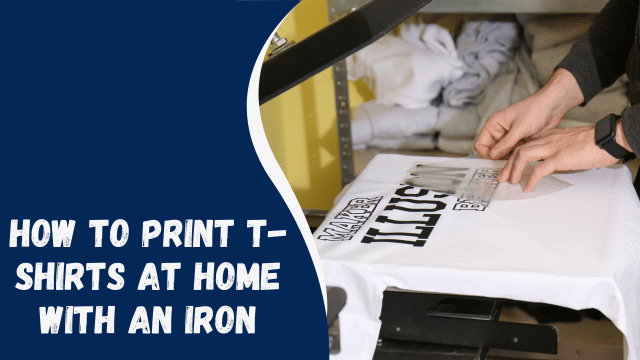
In today’s DIY-savvy world, customizing your own T-shirts has never been easier. Whether you want to create unique apparel for personal use or start a small business, learning how to print T-shirts at home with an iron is a fun and cost-effective way to express your creativity. In this comprehensive guide, we will take you through the step-by-step process of turning plain T-shirts into wearable art. So, grab your favorite blank tee and let’s get started!
Contents
- 1 Introduction: The Joy of DIY T-Shirt Printing
- 2 Gathering Your Materials
- 3 Designing Your T-Shirt
- 4 Prepping Your Workspace
- 5 Pre-Washing Your T-Shirt
- 6 Creating the Transfer Design
- 7 Printing the Design
- 8 Preparing Your Iron
- 9 Ironing the Transfer
- 10 Cooling and Peeling
- 11 Caring for Your Printed T-Shirt
- 12 Troubleshooting Common Issues
- 13 Tips for Success
- 14 Conclusion: Wear Your Creativity!
Introduction: The Joy of DIY T-Shirt Printing
Printing T-shirts at home with an iron is a creative and satisfying endeavor. It allows you to transform plain shirts into unique pieces of wearable art. Whether you’re looking to make personalized gifts, start a side hustle, or simply unleash your artistic talents, this guide will show you the way.
Gathering Your Materials
Before you begin your T-shirt printing adventure, you’ll need to gather the following materials:
- Blank T-shirt(s)
- Iron-on transfer paper
- Inkjet printer
- Scissors
- An iron
- Hard, flat surface (like a table)
- Parchment paper or a thin cloth
- Computer with design software (optional)
Designing Your T-Shirt
Creating an eye-catching design is a crucial step. You can use graphic design software or online design tools to craft your masterpiece. Remember, the more creative, the better!
Prepping Your Workspace
Set up your workspace with a clean, flat surface. Ensure good lighting for precision during the transfer process.
Pre-Washing Your T-Shirt
Before printing, wash and dry your T-shirt without using fabric softener. This step removes any sizing and helps the transfer adhere better.
Creating the Transfer Design
Print your design onto the iron-on transfer paper according to the paper manufacturer’s instructions. Ensure your design is mirrored (flipped horizontally) for proper alignment.
Printing the Design
Trim the excess transfer paper around your design. Position it on your T-shirt, design-side down.
How to Safely Remove Stickers from Your Laptop
Preparing Your Iron
Plug in your iron and set it to the appropriate temperature (usually cotton setting). Make sure the steam function is turned off.
Ironing the Transfer
Place parchment paper or a thin cloth over your design and apply the iron with firm, even pressure. Move the iron slowly over the entire design for about 2-3 minutes.
Cooling and Peeling
Allow your T-shirt to cool for a few minutes. Once cool, carefully peel off the transfer paper to reveal your printed design.
Caring for Your Printed T-Shirt
To preserve your creation, wash your T-shirt inside out in cold water and hang it to dry. Avoid excessive heat in the dryer.
Troubleshooting Common Issues
Encountering problems? Check our troubleshooting section for solutions to common T-shirt printing issues.
Tips for Success
Here are some additional tips for successful DIY T-shirt printing:
- Test on an old fabric before printing on your final T-shirt.
- Use a consistent, firm pressure while ironing.
- Experiment with different designs and colors.
- Have fun and let your creativity flow!
Conclusion: Wear Your Creativity!
Printing T-shirts at home with an iron is an enjoyable and rewarding craft. Whether you’re expressing your individuality or starting a small business, this DIY method allows you to wear your creativity proudly. So, go ahead, unleash your artistic side, and start making personalized T-shirts today!