Enhance Your PDF Editing: How UPDF PDF Annotator Sets the Standard


You are working on a team project and need to review a PDF report for feedback. The time is running short, and you don’t know how to annotate PDF files fast. Nerve-racking, right? But do not fret; we are here with a solution!
It’s time to ditch the printer, scribbling notes, and the struggle to find them later. Get ready for an organized and seamless workflow with the UPDF PDF annotator. In this article, we will break down how UPDF is your one-stop solution to PDF annotation.
So, are you ready?
Let’s dive in and find out!
Contents
UPDF is the Best PDF Annotator Ever in the PDF Industry
Let’s delve deeper into the world of PDF annotations with UPDF. So, you are working on an important team project. Each team member needs to review and annotate PDF files for feedback and suggestions. But here is the kicker: you have no idea how to annotate a PDF without printing.
Enter the world of UPDF PDF annotator that is about to transform your work life.

Alt text: UPDF PDF Annotator
UPDF is hands down one of the best PDF annotators of all time. But what makes it so great?
Well, hold onto your hats because UPDF’s drop-dead annotation features are about to blow your mind. From commenting and markup tools to adding stickers, stamps, shapes, and signatures, UPDF is a full suite for your annotation needs.
Let’s find out what sets UPDF apart in the world of PDF annotation.
Comment Tools
Do you want to add a new comment or reply to previous ones? It is a piece of cake with UPDF. You can add comments in three ways.
- Sticky Note: Add comments as sticky notes by selecting the notes icon and clicking on the desired text.
- Text Box: Add a text box by selecting the T icon with a box and clicking anywhere in the document.
- Text Callout: Feel free to point to a specific part of the text with the text callout feature of UPDF’s PDF annotator.

Alt text: Add comments with UPDF PDF Annotator
Markup Tools
Want to make a text prominent and easy to remember? No problem! UPDF offers handy markup tools that let you draw attention to any text.
- Highlight: UPDF not only lets you highlight important text but also in any color of your choice.
- Underline: UPDF lets you draw attention to important points or key terms by underlining them.
- Strikethrough: UPDF offers to add a strikethrough to text so your team can know what has been deleted.
- Squiggly: Add some fun to your boring documents with UPDF’s Squiggly line feature.
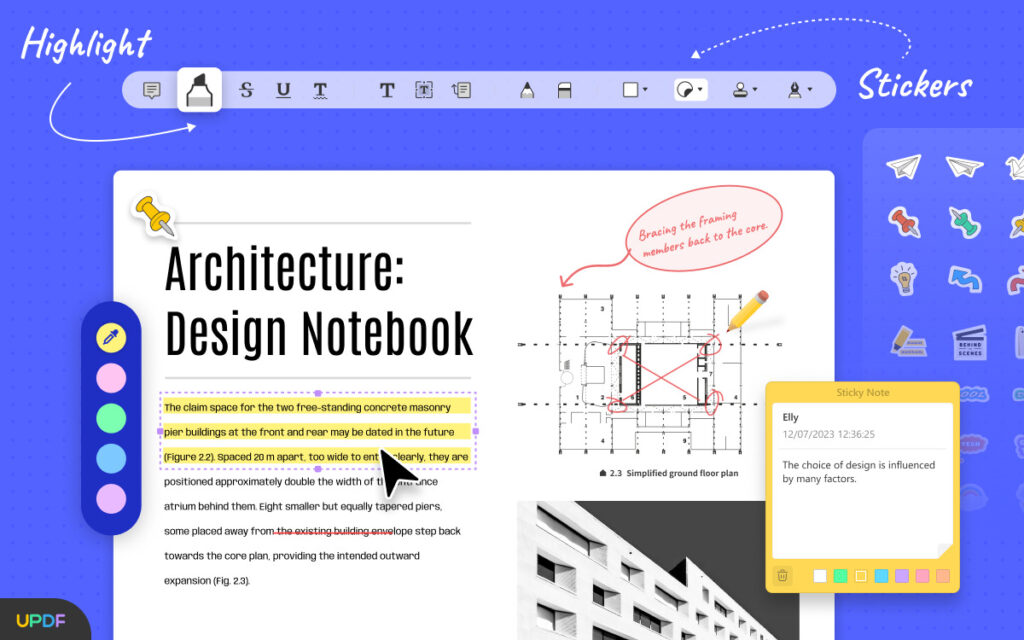
Alt text: Add highlights and stickers with UPDF PDF Annotator
Stickers and Stamps
Moving on with our exploration of UPDF PDF annotator. Imagine you have a bunch of PDFs lined up for annotation. Boring much? Well, it does not have to be. UPDF lets you liven up your boring files through its stickers and stamp tools.
- Premade Stamps: Add premade stamps as visual cues with UPDF’s stamp tool.
- Import Stamps to PDF: You can not only add built-in stamps, but the icing on the cake is importing appropriate ones to your PDF.
- Customize Your Stamps: If you are feeling creative enough, you can even custom-make your stamps in the Stamp tool.

Alt text: Add Stickers and Stamps with UPDF PDF Annotator
Pencil and Shapes
Using a tablet while working through annotations? Use UPDF’s pencil annotation tool for more convenience. Click on the pencil icon and let your creativity flow like a cascading waterfall.
Plus, you get to add a variety of shapes for visual cues. Is it the oval shapes you prefer or rectangles? Want to draw a line or an arrow? Choose whatever floats your boat!
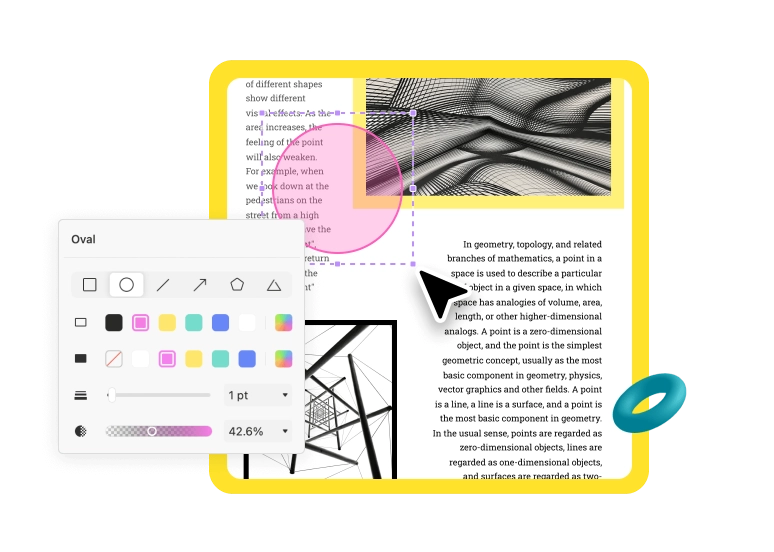
Alt text: Add shapes with UPDF PDF Annotator
Signatures
Authenticate your documents by adding three types of signatures with UPDF.
- Add a Handwritten Signature: Add a personalized signature to your PDF using the mouse.
- Type in a Signature: If you prefer a simple typed-in signature, feel free to do so with the UPDF PDF annotator.
- Create a Digital Signature: Want to authenticate your digital forms or documents? Use UPDF’s digital signature to add and customize your digital trademark.

Alt text: Add signatures with UPDF PDF Annotator
In the world of PDF annotation, UPDF is a cut above all its competitors. It provides seamless collaboration with professional markups, visual emphasis, and smoother editing.
But that is not all!
UPDF holds a bunch of other remarkable features up its sleeve. Let’s find out what they are.
Except Being a PDF Annotator, UPDF Can Do More
Not just software to annotate PDFs, UPDF is your document management powerhouse. From an enhanced editing and reading experience to creating, converting, and sharing PDFs, it is the go-getter for all your PDF problems. So, throw your worries to the wind and buckle up to explore the treasure trove of features offered by UPDF.
Edit PDF
- Edit Your PDF Text: Edit and enrich your documents by adding new ideas in unique fonts, styles, and colors.
- Control and Edit PDF Images: Extend your editing from text to images effortlessly with UPDF.
- Insert PDF Links: UPDF lets you add links and enhance their appearance in a cinch.
- Watermark Your PDF: Add ownership rights by using a variety of watermarks to your PDFs.
- Customize Background Color: Say goodbye to the boring white backgrounds. Make your PDFs look alive by adding a dash of color.
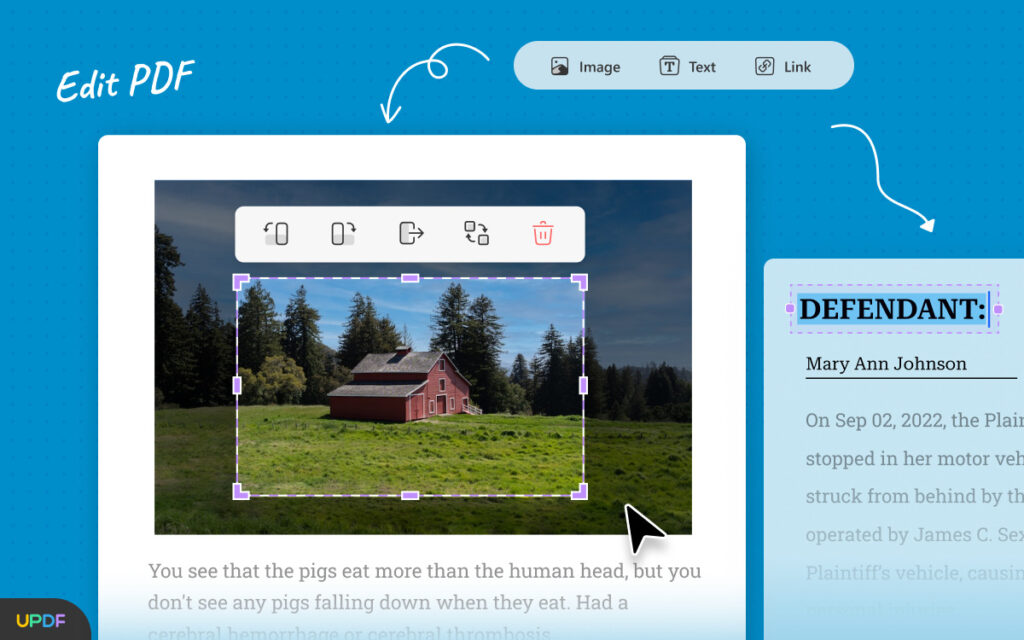
Alt text: Edit PDF with UPDF
UPDF AI
- Summarize PDF Faster: UPDF AI is your trusty sidekick to simplify data and summarize lengthy documents instantly.
- Translate PDF Quicker: No need to switch between translators and PDF editors. UPDF translates any language in a cakewalk.
- Explain PDF Clearer: Are complicated terms giving you a headache? Get clear explanations for key terms with UPDF AI instantly.
- Write PDF Better: Brainstorming ideas? Need influential writing? UPDF AI does it in a few seconds.
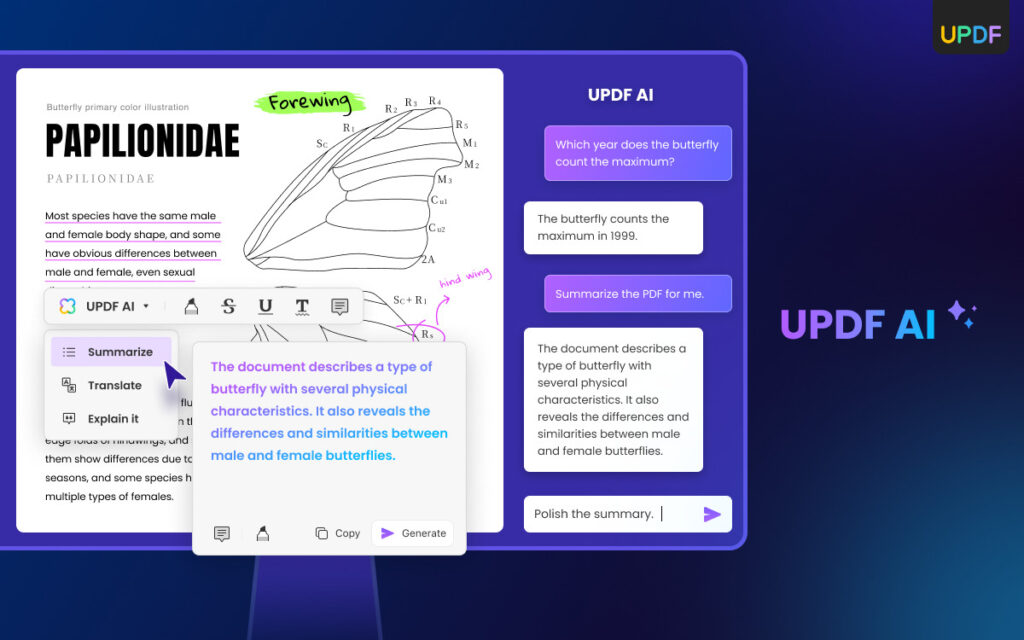
Alt text: Summarize, Translate, and Explain Text with UPDF AI
PDF Conversion and OCR
- PDF to other formats: UPDF makes it a breeze to convert PDF to editable files like MS Word, Excel, PowerPoint, etc.
- PDF to Images: No need to spend hours on endless screenshots. UPDF lets you convert PDF to images in a split second.
- PDF to Markup Languages: UPDF converts PDFs to HTML and XML files, saving you hours of energy and effort to write these languages manually.
- Convert Scanned PDF with OCR: Stressed over editing scanned PDFs? Worry no more! UPDF converts scanned PDFs to editable documents in a breeze.
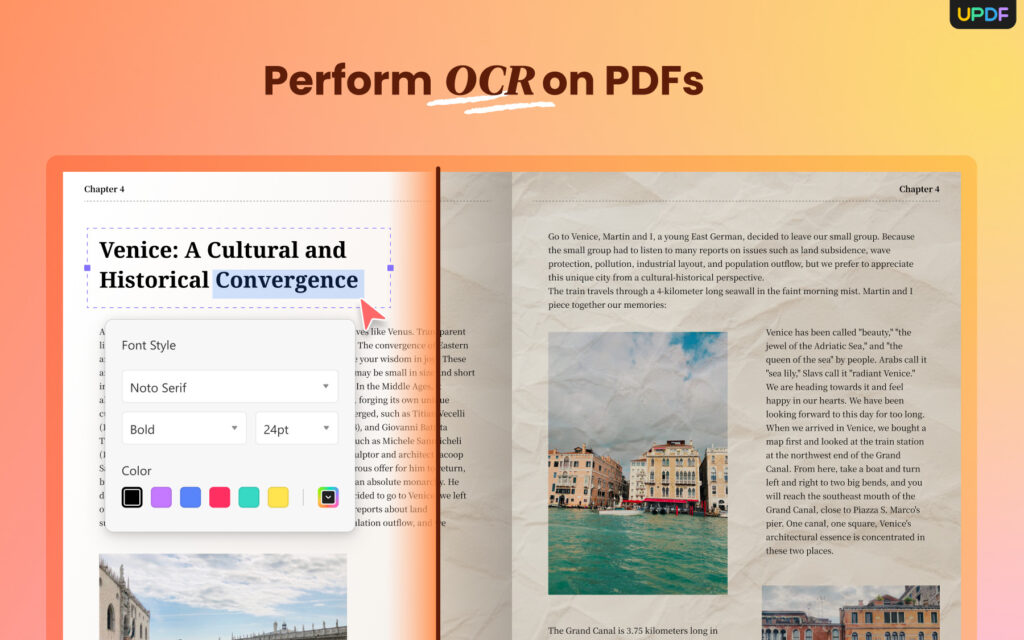
Alt text: Perform OCR on PDFs with UPDF
- Create Dynamic PDF Forms and Empower Your Data Collection: Craft an interactive PDF form with UPDF’s intuitive tools for seamless data collection.
- Fill Fillable and Non-Fillable PDF Forms Anytime and Anywhere: Filling non-fillable and fillable forms is effortless with UPDF editing features on any platform.
- Go Paperless. Share and Send Filled/Signed PDF Form: Say goodbye to the hassle of printing and switching apps. UPDF lets you directly send PDF forms as links, QR codes, and emails.
So, there you have it: a complete rundown of all the magical prowess of UPDF. It is the perfect recipe for streamlining workflow and bringing remarkable value to the table. So, it is time to up your PDF game and handle your PDFs like a pro. With UPDF, it is a breeze, so give it a whirl and see for yourself how it dramatically transforms your work life.
Comparing UPDF PDF Annotator with Adobe Acrobat
Adobe Acrobat is a recognized name in the world of PDF Editors. But is it living up to its name? Let’s find out who aces the race as we put them up against each other.
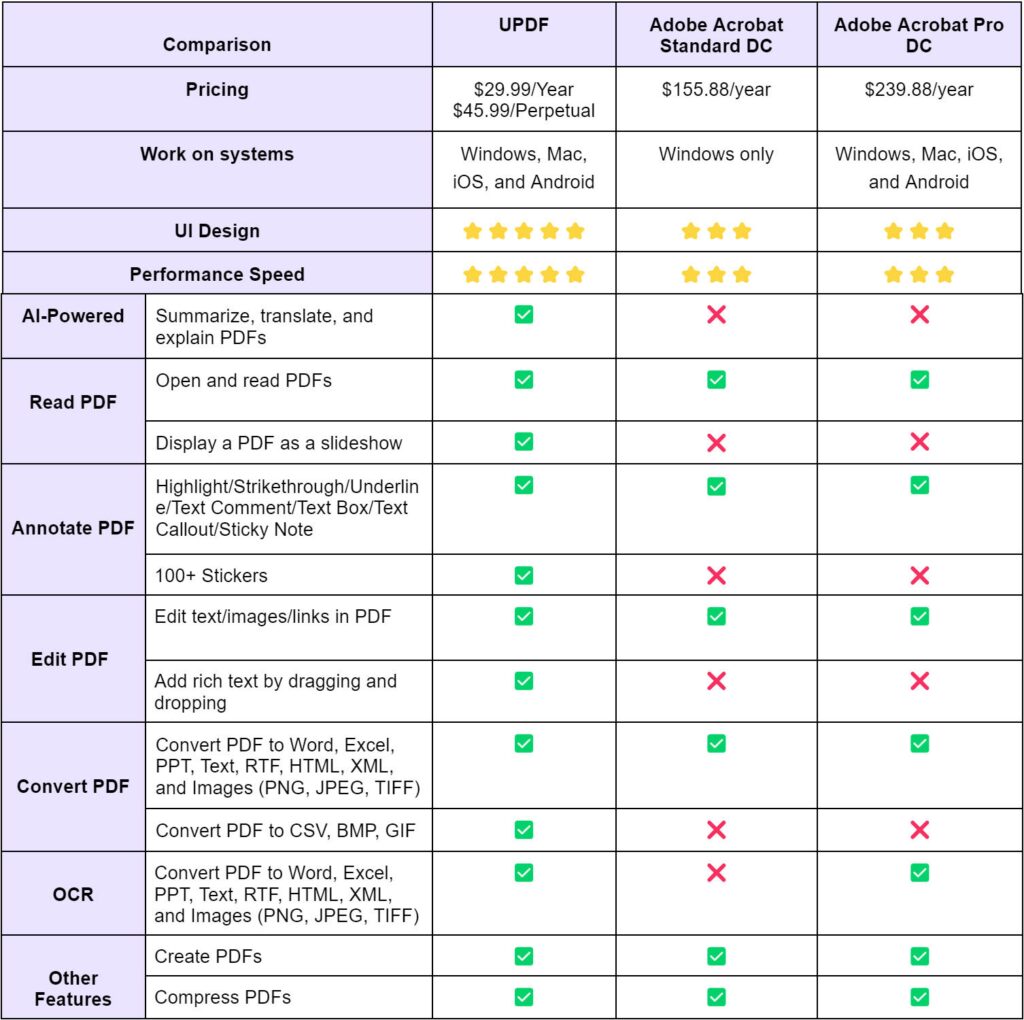
So, there you go, the cat is out of the bag, and UPDF has the upper hand by leaps and bounds. Compared to Adobe Acrobat, UPDF stands out for a few key reasons.
- Pricing: UPDF offers exceptional prices compared to Adobe Acrobat. With competitive and affordable pricing, UPDF is an excellent solution for individuals and businesses who want to save money on PDF software while getting a variety of powerful PDF tools.
- AI-Powered: UPDF is geared with an AI add-on to summarize, translate, and explain PDFs, while Adobe Acrobat loses the race for lacking an AI feature.
- Advanced Features: UPDF is equipped with a slideshow display, 100+ annotation stickers, and advanced conversion formats. However, Adobe Acrobat falls short in this department.
UPDF not only offers a full suite of features to make your workflow a breeze but also saves you time and money.
Conclusion
Say goodbye to printing and endless notes scribbling, and hello to the world of PDF annotators. Let UPDF take charge of your annotation assignments for effective collaborations. So, get the UPDF PDF annotator free download or enjoy a whopping 61% off on UPDF Pro because it is the UPDF Halloween sale! So, don’t miss out on your chance to get an exclusive discount on UPDF Pro and a chance to win iPhone 15 and AirPods.