Does Fixmestick Remove Malware?
Safeguarding our computers against malicious threats is crucial in the digital world we live in. A standout solution in this battle is the FixMeStick, a device specifically designed to combat malware. But the question arises: Does FixMeStick remove malware?
Yes, Fixmestick Can Remove Malware. This specialized tool operates externally to the main operating system of your computer, which allows it to effectively tackle a variety of malware, including viruses, trojans, rootkits, and spyware.
Its unique approach ensures a more comprehensive cleaning process compared to standard antivirus software. If you’re curious to learn more about how FixMeStick can enhance your computer’s security, stay with us as we explore its features and benefits in the following article.
Contents
What is Malware and How Does it Work?
Malware, a blend of malicious and software, is designed to damage, disrupt, or gain unauthorized access to computer systems. It comes in various forms, like viruses, trojans, and spyware, each with unique ways of wreaking havoc. Its main goal is to exploit, harm, or steal from the user or system.

To pass through systems, malware often poses as legitimate software, tricking users into downloading it. Once installed, it can perform a range of harmful actions, from stealing sensitive data to controlling the system. It’s like a digital chameleon, constantly changing to evade detection and accomplish its goals.
The way malware operates can be complex and stealthy. It can lie dormant, activate under certain conditions, or continuously perform malicious activities. This stealthiness makes it a persistent threat in the digital world, always hiding and ready to strike when least expected.
Common Malware Prevention Techniques You Can Apply
It’s critical to safeguard your gadgets from malware in the constantly changing digital world. While the threat of malware is real, there are effective strategies to safeguard your systems. Here are some common techniques that you can easily apply to enhance your digital security.
Regular Software Updates
One of the simplest ways to keep malware at bay is regularly updating your software. Developers often release updates to patch security vulnerabilities that malware could exploit. Neglecting these updates leaves your system open to attacks. Ensure automatic updates are enabled for your operating system and applications.
Strong, Unique Passwords
Using strong, unique passwords for each of your accounts is vital. Weak passwords are like open doors for cybercriminals. Avoid common phrases and include a mix of letters, numbers, and symbols. Consider using a password manager to keep track of your secure passwords.
Install Antivirus Software
Antivirus software acts as a first line of defense against malware. It scans, detects, and removes malicious programs from your device. Ensure your antivirus is always active and regularly updated. It’s a small investment for a significant increase in security.
Be Wary of Suspicious Emails and Links
Phishing emails and malicious links are common malware delivery methods. Always verify the sender’s identity before opening emails or clicking on links. If an email or link looks suspicious, it’s better to err on the side of caution. Training your eye to spot these threats is invaluable.
Backup Your Data Regularly
Regular backups can be a lifesaver in the event of a malware attack. Back up important files to an external drive or cloud storage. This practice ensures you don’t lose critical data if your system is compromised. It’s a simple habit that offers great peace of mind.
Use a Firewall
A firewall acts as a barrier between your computer and the internet, monitoring incoming and outgoing traffic. It helps prevent unauthorized access to your system. Most operating systems come with a built-in firewall; make sure it’s always turned on.
By incorporating these techniques into your digital routine, you can significantly reduce your vulnerability to malware.
Does Fixmestick Remove Malware?
Yes, FixMeStick can remove malware. It’s a dedicated device specifically designed to detect and eliminate various types of malware from computers. Operating outside the regular operating system, it offers a deep and thorough clean that regular antivirus software might miss. Here is the explanation of does Fixmestick removes malware.
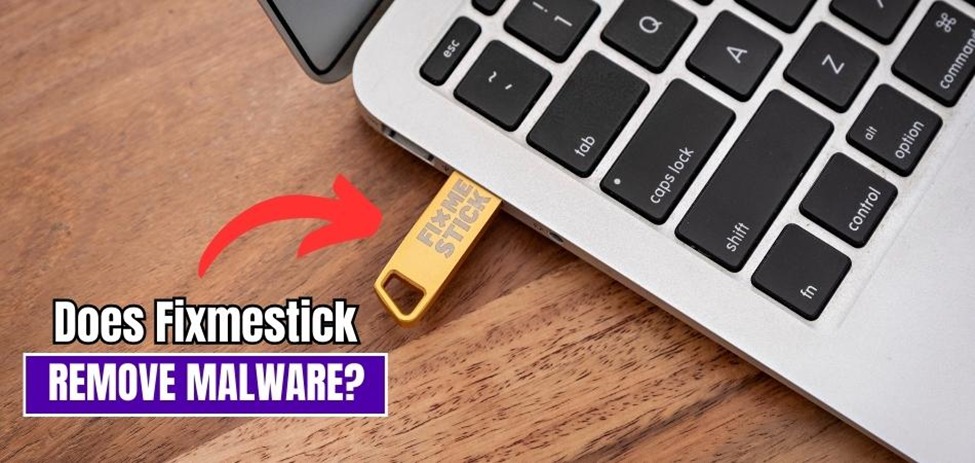
External Operation
FixMeStick operates externally to your computer’s main operating system. This unique approach allows it to bypass malware that can hide from or disable internal antivirus programs. By not relying on the possibly compromised system, it ensures a more effective scan. It’s like having an external doctor to diagnose issues more objectively.
Comprehensive Malware Detection
The device is engineered to detect a wide range of malware, including viruses, trojans, rootkits, and spyware. It uses multiple antivirus engines, increasing the chances of catching varied malware types. This layered defense strategy ensures a thorough sweep of potential threats. It’s akin to a multi-layered security check.
Regular Updates
To remain effective against new threats, FixMeStick regularly updates its malware definitions. These updates are crucial to keep up with the constantly evolving malware landscape. Users must ensure their device is updated regularly for optimal performance. Staying updated is similar to staying informed about new security threats.
Ease of Use
Despite its technical capabilities, FixMeStick is designed for ease of use. You simply plug it into a USB port and follow straightforward instructions. It doesn’t require extensive technical knowledge to operate. This user-friendliness makes it accessible to a broad range of users, not just tech experts.
How to Use Fixmestick?
Malware is an ongoing threat to our gadgets and data in the advanced digital world. FixMeStick is a potent remedy made to efficiently tackle this threat. To harness its capabilities fully, follow these straightforward steps to utilize FixMeStick for enhanced computer security:
Step 1: Purchase FixMeStick
Start by purchasing a FixMeStick device from their official website or an authorized retailer. It’s essential to ensure you get the latest version, as it contains the most up-to-date malware definitions, enhancing its effectiveness in identifying and removing threats.
Step 2: Insert the Device
Carefully plug the FixMeStick device into an available USB port on your computer. Ensure that your computer is turned on and running, as the device requires an active system to work correctly. The FixMeStick will not operate if the computer is off or in sleep mode.
Step 3: Restart Your Computer
Restart your computer and access the boot menu. The key to accessing the boot menu varies depending on your computer’s brand. Select the FixMeStick device as the boot option. This action will initiate the FixMeStick’s operating system and start the malware scanning process.
Step 4: Run the Scan
Once the FixMeStick has booted from the USB device, it will perform a thorough scan of your computer’s files and system. This complete scan may take some time, depending on the size of your storage and the number of files to be analyzed.
Step 5: Review and Remove Threats
After the scan is finished, FixMeStick will display a detailed report of any detected threats. Carefully review the report to understand the nature and severity of the malware found. If malicious software is identified, follow the on-screen instructions provided by FixMeStick to safely and effectively remove the threats from your computer. FixMeStick’s user-friendly interface will guide you through this process, making it accessible to users with varying levels of technical expertise.
Step 6: Eject FixMeStick
Once you have successfully removed malware and are confident that your computer is now clean, eject the FixMeStick device from the USB port. Then, restart your computer in normal mode. Your computer should now be free from malware, providing you with a safer and more secure digital environment.
By following these detailed steps, you can maximize the effectiveness of FixMeStick in safeguarding your computer against malware and enjoy peace of mind while browsing and using your system.
Pros and Cons of FixMeStick
FixMeStick shows up as a powerful virus removal solution in a time when digital security is crucial. However, like any technology, it possesses both strengths and weaknesses. Let’s dive into the pros and cons of FixMeStick to better understand its utility.
Pros
- Effective Malware Removal: FixMeStick excels at detecting and removing various types of malware, enhancing your computer’s security. It goes beyond traditional antivirus software to provide a deeper clean.
- External Operation: It operates independently of your computer’s OS, ensuring a more thorough scan. This external approach allows it to detect and eliminate malware that might hide from internal security measures.
- User-Friendly: Its simple plug-and-play design makes it accessible even to non-tech-savvy users. You don’t need advanced technical knowledge to use FixMeStick effectively.
- Multiple Scanning Engines: It employs multiple antivirus engines, increasing the chances of catching diverse threats. This multi-engine approach enhances its ability to identify and remove malware.
- Regular Updates: FixMeStick regularly updates its malware definitions to keep up with emerging threats. This commitment to staying current ensures that it can tackle the latest malware strains effectively.
Cons
- Lengthy Scan Time: The scanning process can be time-consuming, especially on computers with large storage. It’s important to be patient during the scan to ensure a thorough examination.
- 30-Day Trial Subscription: The 30-day trial subscription, while beneficial for testing the product, requires payment after the trial period. Users should be aware of this before opting for the trial.
- Internet Connection Required: FixMeStick relies on an internet connection to update its malware definitions. This may pose challenges in offline scenarios.
Conclusion
Malware threats are countered effectively by the external operation of FixMeStick, which surpasses traditional antivirus software in depth of cleaning. It’s vital to adhere strictly to the usage steps, from acquiring the device to completing the scan.
In exploring does Fixmestick remove malware, we uncover its capability to combat various malware types, enhancing computer security. The process, though straightforward, requires attention to detail, especially during the installation and scanning phases.
However, potential drawbacks like additional costs and lengthy scanning times should be considered. These factors, alongside the trial period’s terms, highlight the importance of informed decision-making when relying on FixMeStick for malware removal.