9 Best Chrome Extensions for Coupons in 2023 – A Penny Saved is a Penny Earned
Looking for the best chrome extensions for coupons?
Online shopping is great, you can buy practically anything ranging from food, movies, home decor products, grocery, or clothes from the comfort of your home. But, it can be really heavy on your pocket as you cannot bargain and may need to pay additional delivery charges.
The best way to save money in online shopping is to make use of chrome extensions for coupons, promo codes and limited-time online deals offered by retailers on different platforms. Such coupons and deals and can help you to save a great deal of money. Generally, if you want to look for coupons online, you’d open another window and search for available coupons and deals. But this process is tedious and you may also miss many deals and offers.
Extensions are small software programs that enable users to customize and improve their browsing experience. These extensions usually appear on the taskbar. Here we present you a list of some of the best chrome extensions and add-ons that can be used to avail yourself of coupons, for US-based online stores.
Contents
9 Chrome Extensions For Coupons That Will Save Your Money:
1. Honey
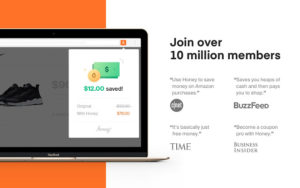
Honey Chrome Extension is one of the most trusted and popular chrome extensions which automatically applies coupon codes with a single click. Just click on the Honey button during the checkout and the best available coupon for your shopping cart will be applied automatically.
You can also earn Honey Gold points which are redeemable bonus points offered while shopping on some popular stores like eBay or Walmart. Once you earn 1000 Honey Gold points you can easily redeem it to buy e-gift cards.
Some of the best features offered by Honey are:
- Saves your time by automatically searching and applying the best coupon for you, with just a single click
- When shopping on Amazon, it tells you about the best Amazon coupons and also the price history of the product, so that you can see, when the price was at the lowest and avoid overspending money
- You can check the piece history for the last 120 days for any product on Amazon
- You can Sign in to the Honey Gold program if you want to receive cashback for shopping online
- In case, you want to wait for the best deal for a product, you can add it into Honey Droplist & you will be notified once the item goes on sale on any supported shopping store like Amazon, Walmart, etc
- Honey add lets you combine your own coupon codes with those available on Honey for greater discounts and savings.
Add Honey to your Chrome Browser
2. CouponCabin Sidekick
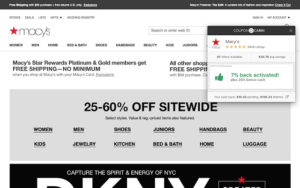
CouponCabin Sidekick is a free add-on offered by CouponCabin.com, which helps you save money through promo codes, cashback and price comparisons.
After installing the plugin, you will start receiving real-time alerts and notifications, whenever you visit any online store. Just search for your product on your favorite store and you will get notified of various coupons available for your product, and with just a single click you can apply them to your shopping cart.
Once you login into your CouponCabin account, click on Activate Cash Back button, and the cashback will automatically be credited to your account after your order.
The best features of CouponCabin Sidekick include:
- CouponCabin Sidekick offers high-value exclusive deals on top brands across different categories
- They provide a sign-in bonus when you first log in to your account
- Provision of 100% guarantee for the validity of Coupons, promo codes, and Deals offered by them
- Along with, coupons it has very good cash back and referral program, which helps you save more money, and you can easily redeem it using gift cards for into your PayPal account.
Add CouponCabin to your Chrome Browser
3. Pricescout
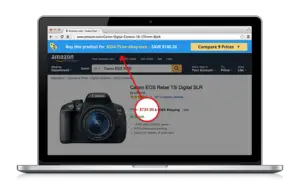
Pricescout is basically a price comparison software, which, find also finds coupon codes for you, while you are shopping. Pricescout scans around 21,000 stores over the web to find the lowest price for the product you are currently viewing on the web browser.
It also notifies you of all the coupons available while you are on the shopping site, allowing you to choose the best deal. This saves you from the hassle of going to another price comparison site and gives you the best possible deal.
Pricescout is also smart enough to stay hidden while you browse other stuff on your browser and appears only when you visit a shopping website or view any product, thus saving your valuable screen space.
Some great features offered by Pricescout:
- Real-time and quick price comparison across 21,000 different shopping websites
- Stays hidden when you are not shopping
- Notifies you about the best coupons, promo codes and deals available on your favorite shopping website.
Add Pricescout to your Chrome Browser
4. RetailMeNot Deal Finder

RetailMeNot Deal Finder, also known as RetailMeNot Genie by RetailMeNot is one of the most popular and widely used Chrome extensions for coupons which automatically applies coupon codes during checkout. It also has amazing cashback offers which can be combined with these coupons to avail great discounts and save more.
Deal Finder offers deals across various platforms like Forever 21, Macy’s and Domino’s!! Just download the free plugin and get the combined benefit of automatic coupon codes and a robust cashback program.
Some great features offered by RetailMeNot Deal Finder :
- Easy to use as it automatically tests and applies the best coupons when you checkout, with just a single click
- Exciting cashback offers can be applied along with the coupon codes to ensure the lowest price
- A dedicated Customer support team to resolve any queries
- RetailMeNot Everyday is another extension offered by RetailMeNot which helps you find grocery coupons and great everyday local deals
- It also has an app where you can find exclusive Coupon codes, deals and tips which can help you save more money
Add RetailMeNot Deal Finder to your Chrome Browser
5. BeFrugal
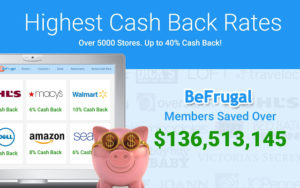
BeFrugal also automatically applies coupons and cashback when you shop across thousands of your favorite stores. Whenever you visit a particular shopping website, BeFrugal alerts and notifies you about the available deals and automatically applies the best combination of coupons and deals when you check out.
Besides, it also offers great cashback offers, once you sign in, and find coupons for Walmart, Amazon coupons, and Target coupons & over 50,000 stores.
Best features of BeFrugal:
- Offers cashback and coupon codes for over 50,000 online stores and retailers.
- Dedicated e-mail and live chat Customer service to solve queries
- Feeling Hungry?? Yep, Be Frugal’s coupons for food offers deals for your favorite restaurants also
- You can also access weekly ad circulars and flyers for different US based Grocery and Retail stores, which will help you save more money
- You can also get printable coupons for use offline in grocery stores or in restaurants
- Exclusive Cashback program and guarantee of earning a 7% cashback on an average on online shopping
Add BeFrugal to your Chrome Browser
6. InvisibleHand
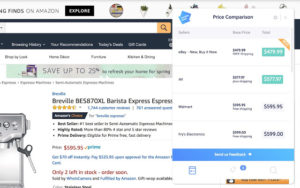
InvisibleHand chrome extension for coupons helps you grab the lowest price on everything you buy online – be it flights, hotels, rental cars or shopping. Whenever you are browsing for any product, flight, or hotel online, Invisible hand will automatically compare its prices across thousands of online platforms and then notifies you if the product is available at a lower price on any other site.
Also, when you are browsing your favorite online store, InvisibleHand will search and notify you about the various offers, deals, and coupons available for the product you are viewing.
Some of the best features of InvisibleHand are:
- Compare prices and displays coupons for over 20,000 retailers in US and UK
- It keeps itself hidden unless it finds a good deal for the product you are looking for
- Whenever you google any product, InvisibleHand will automatically show you the websites or online stores with the lowest prices
- A useful tool for travelers as you can also Google your flights and get them at the cheapest rates available.
- The product prices get refreshed at regular intervals, to make sure the coupons and deals are not expired and you can see the updated price list
- If shopping in US stores, InvisibleHand can also reveal the hidden prices by the retailers.
Add InvisibleHand to your Chrome Browser
7. Avast SafePrice:
Avast SafePrice is another free plugin powered by Avast which helps in price comparison and finds the best available deals online. You can even use Avast SafePrice to book a hotel online. Just like Pricescout, Avast SafePrice searches for the lowest price across various shopping platforms and shows you the best deal.
When you are looking for any product on your favorite online store, Avast SafePrice looks for the same product across various shopping websites and then gives you the list of the best online deals and coupons available.
Features of Avast SafePrice:
- Scans for deals and offers across verified sites only
- It remains hidden, and only appears when you visit a shopping website
- Compares prices for the product you are viewing, on different shopping platforms and notifies you about the lowest price
Add Avast SafePrice to your Chrome Browser
8. Offers
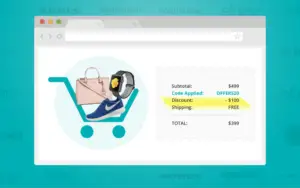
Offers is a chrome extension by Offers.com which brings you the latest Coupon codes, product deals, discounts, and all other offers and has partnerships with almost 20,000 stores and brands across different categories.
Best features of Offers:
- It gives you access to free shipping and buy-1-get-1-free special deals
- Automatically adds the coupon codes and deals to your shopping cart
- You can also view the offers and deals on other shopping websites for price comparison
Add Offers to your Chrome Browser
9. Wikibuy from Capital one
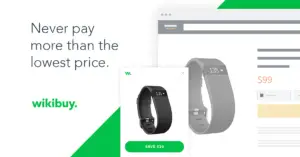
Wikibuy Chrome extension for coupons is one of the best ways to maximize your savings using coupon codes, loyalty rewards & better offers from retailers. It is powered by a community of over 1 million users who share prices and coupons found in real-time while shopping for the best brands.
Best Features of Wikibuy:
- The product search feature of Wikibuy helps find better prices while still considering shipping times and cost
- On Amazon, the Wikibuy feature is built right into the site
- With Wikibuy local offers, you can earn credits or free gift cards on select purchases
- With Wikibuy watchlists, you can add your favorite products and have Wikibuy automatically monitor for price drops
Add Wikibuy to your Chrome Browser
You can simply download and install these on your Chrome browser and save yourself from all the hassle. So, to save your valuable time and effort, there are a number of extensions and add-ons available on Google Chrome, coupon codes that work for anything. These extensions will notify you and show you all the deals and coupons available by searching across the web with only a few clicks.
You Might Also Like To Know: