Angular Best Practices: Enhancing Code Efficiency and Maintainability
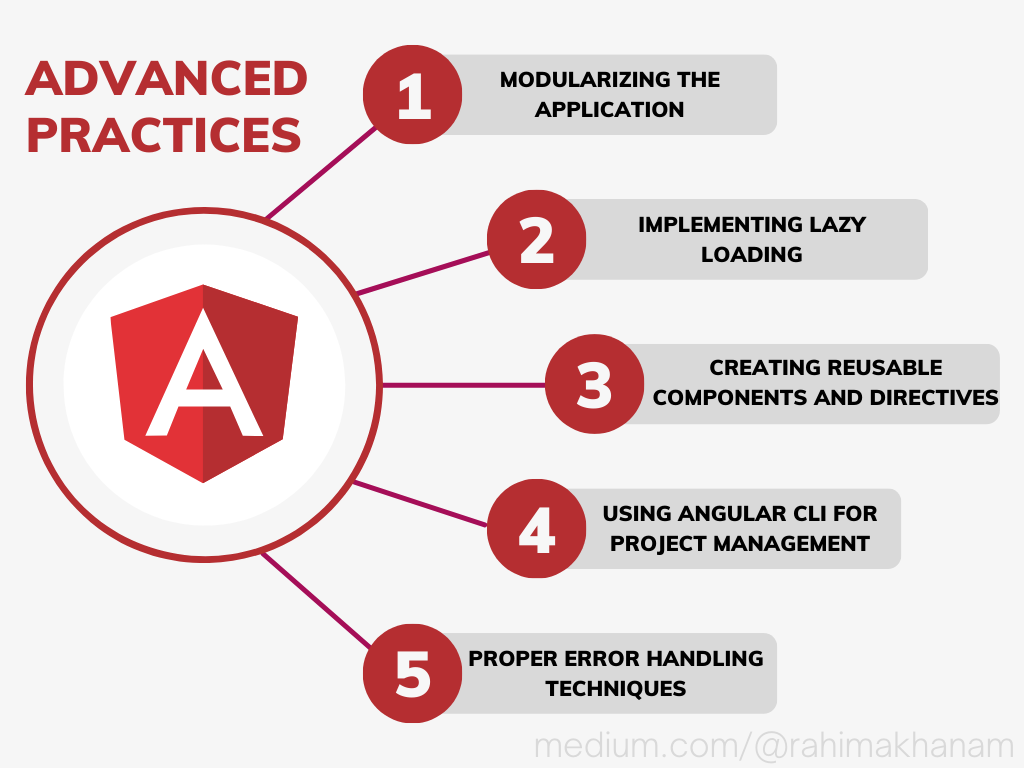
Angular is a powerful and well-liked framework for building online applications. In order to write manageable and effective code, developers must follow best practises. In this essay, we’ll examine some of the most effective Angular best practises to see how they might help us accomplish these goals. We’ll go over everything you need to know, from setting up the application to optimising speed, to write good Angular code.
Understanding the Angular Architecture
Angular is a full-featured front-end framework that follows the component-based architecture. This requires breaking down the application into independent, modular components. The basic components of an Angular application include modules, components, templates, services, and directives.
The Component-Based Architecture
By dividing the user interface into smaller, more manageable components, the component-based architecture encourages modularity and reusability. It is simpler to maintain and test each component because it has its own logic, template, and styling.
Organizing Your Project
A well-organized project structure is crucial for code maintainability and collaboration among developers. Properly organizing files and folders will make it easier to locate code and identify dependencies.
1. Creating a Well-Structured Folder Hierarchy
A recommended folder structure divides the application into logical components, such as angular modules, angular components, angular js web development services, and assets. This separation ensures that code is well-organized and easy to manage.
2. The Role of Modules
Modules group related functionalities together and help in keeping the application scalable. Each feature can have its module, making it easy to add or remove features as needed.
3. Lazy Loading for Improved Performance
Lazy loading is a technique where certain modules are loaded only when required. This can significantly improve the initial loading time of the application and reduce the bundle size.
Optimizing Performance
Performance is a critical aspect of any web application. Optimizing your Angular app can lead to faster load times, better user experience, and improved search engine rankings.
- Minifying and Bundling Files
- Using Ahead-of-Time (AOT) Compilation
- Optimizing Change Detection
Utilizing Angular CLI
The project setup, development, and build procedures are made easier with the help of the robust Angular CLI (Command Line Interface). It has a number of instructions that make it simple to construct modules, services, and components.
1. The Advantages of Angular CLI
By automating routine operations like developing new modules, services, and components, Angular CLI speeds up the development process. It also makes sure that best practises are applied to the project automatically.
2. Generating Components, Services, and Modules Effortlessly
With just one command, Angular CLI makes it easier to create modules, services, and components, which cuts down on boilerplate code and speeds up development.
3. Customizing Angular CLI Configuration
Because Angular CLI supports custom configurations, developers can modify the project setup to meet their own needs and preferences.
Component Best Practices
Components are the building blocks of an Angular application, and following best practices while creating components can significantly impact the overall code quality.
- Keeping Components Lightweight
- Smart and Dumb Component Concept
- Handling Inputs and Outputs
Template and Data Binding
Angular’s data binding features enable us to connect the component’s data with the view, making it easy to display and update information in real-time.
- Avoiding Heavy Logic in Templates
- Property and Event Binding
- Using Pipes for Data Transformation
Services and Dependency Injection
Services are used to share data and logic across different parts of the application, and Angular’s built-in dependency injection system allows for efficient management of service instances.
- Creating and Using Services
- Hierarchical Dependency Injection
- Understanding Singleton Services
Handling Forms
Forms are a critical part of most web applications, and Angular provides two approaches for form handling: template-driven forms and reactive forms.
1. Template-Driven vs. Reactive Forms
Template-driven forms are easier to set up and suitable for simple forms, while reactive forms offer more control and flexibility for complex forms.
2. Validation Best Practices
Validating user input is crucial to ensure data integrity. Angular provides built-in validation mechanisms that can be customized to meet specific requirements.
3. Handling Form Submission
When handling form submissions, we should implement proper form validation and utilize Angular’s HTTP client to interact with the backend server.
Routing and Navigation
Angular’s router allows us to navigate between different views of our application, making it a fundamental aspect of single-page applications (SPAs).
- Setting Up Routing in Angular
- Guarding Routes for Security
- Utilizing Lazy Loading for Performance
Testing Your Angular Application
Testing is a crucial part of the development process, and Angular provides excellent support for writing both unit tests and end-to-end tests.
1. Unit Testing with Jasmine and Karma
Jasmine and Karma are the best angular js development tools for writing and executing unit tests. These tests help verify the behavior of individual components and services.
2. End-to-End Testing with Protractor
Protractor is a testing framework designed for Angular applications. End-to-end tests simulate user interactions and help catch issues in the user flow.
3. Test-Driven Development (TDD) Approach
Test-driven development (TDD) is a development methodology that involves writing tests before implementing the actual functionality. Following TDD can lead to more robust and bug-free code.
Handling State with NgRx
NgRx is a state management library for Angular that allows us to manage the application state in a predictable and maintainable way.
1. Introduction to NgRx
NgRx follows the Redux pattern, where the state is stored as a single source of truth and can only be modified through actions.
2. Setting Up the Store
The store in NgRx holds the application state and can be accessed by components to retrieve and update data.
3. Managing State with Actions and Reducers
Actions are dispatched to the store to describe events that can change the application state, while reducers handle these actions and update the state accordingly.
Internationalization (i18n)
Internationalization allows us to adapt our application to different languages and regions, making it accessible to a broader audience.
1. Preparing Your App for Internationalization
Angular provides built-in support for internationalization, allowing us to mark translatable text and extract messages for translation.
2. Translation and Localization
Using Angular’s pipes and the Angular i18n ecosystem, we can easily translate the application into different languages.
3. Right-to-Left (RTL) Support
Supporting right-to-left (RTL) languages requires special consideration in the application’s layout and styles. Angular provides tools to handle RTL layouts effectively.
Accessibility Best Practices
Building accessible web applications is essential to ensure that all users, including those with disabilities, can use and navigate the application effectively.
1. Understanding Accessibility (a11y)
Accessibility, often abbreviated as a11y, means designing and developing products that can be used by people with disabilities.
2. Semantic HTML for Screen Readers
Using semantic HTML elements correctly can improve the experience for screen reader users and make the content more understandable for all users.
3. Keyboard Navigation and Focus Management
Proper keyboard navigation and focus management are essential for users who rely on keyboards to navigate the application.
Security Considerations
Security is of utmost importance in web development, and Angular provides several features to help developers build secure applications.
- Handling Cross-Site Scripting (XSS) Vulnerabilities
- Preventing Cross-Site Request Forgery (CSRF) Attacks
- Authentication and Authorization
Debugging and Error Handling
- Leveraging Augury for Debugging
- Proper Error Handling Techniques
- Logging and Monitoring Your Application